Ok, this post is kind of overdue, but I ought to write it since I want to tell you that I’m back from the SXSW Interactive Conference. I have had a great time, but at the same time I’m glad to be back home.
The web is already riddled with people dissecting every panel so I won’t put to much effort into that. Instead, in the next five posts or so, I will describe day by day what went on, to which panels I went to and what I thought of them, people I met etc. My hope is that it will be interesting to you even if you weren’t there and not just all about the panels.
My first gut feeling when I got home was that I didn’t want to touch a computer. I was sick of them, although I was one of the few that didn’t use one while in Austin, as opposed to all the other people live-blogging, taking notes and so on. I think the conference was just like an overdose to me, too much computer geeks in one place. There were also things like meeting people with too little self-distance or people not being as humble as they should be that kind of got me down. I really have to say, though, that most people were a delight to meet!
Also, I think I realized that while it would be great to work with any of the persons attending SXSW, where everyone knows about web standards, accessibility, are also already sick of the term Web 2.0, I would have to go home and meet a lot of customers and web developers that are nothing of the sort. People not interested in doing a proper job, just in getting paid and then scurry on home. For some reason, certain people in life seem to think that being good at something automatically means working 80 hours a week. That’s not the case, just learn to do things right and feel the rush of actually being proud over what you do.
All in all, the people and events I will tell you about stood out and made it a wonderful experience, so I’m genuinely happy I went. My only hope is that people reading my blog and then meet me in person at SXSW don’t feel like they found out that I’m nothing like they expected and that I disappointed them; that while they like my writing I bored them in person.
I would also direct thanks to Daniel Hansson, my friend and travel colleague, who always seems to end up in the most peculiar and entertaining situations.
There are some people I really want to mention for being such outstanding individuals, for making my visit the great time it was and for being as good persons as I want to be. If you ever get the chance, make sure to meet then and talk to them, or alternatively, read what they write (the ones that blog, that is). Trust me; they will most likely enrich your lives. This is not meant as name-dropping, but rather just a guide to great people. They are:
It’s hard to find a more friendly, nice and caring human being. Always happy, constantly eager to please, and doesn’t seem to hold a grudge for anyone in the world. Texas inhabitant together with his lovely family.
Stuart is a very funny and happy English bloke that certainly has got a tough skin and a good distance to things. We had many long nightly talks about things and seem to agree almost a little too much.
A totally crazy guy from England. About twice my height, long hair and a long beard, he looks like some crazed-out ent, and he’s got a sense of humor to go with that.
Very laid-back, but always on top of things and a wicked sense of what’s fun. With an appearance like a Neil Young look-alike, this Minnesota-guy is always up to something.
One of the caring persons, always feeling empathy for others and just being there when needed. And another Texas inhabitant, no less!
Honorary mentions should also go to some other truly nice people I meet and spent some time with, and they are also most recommended to meet in real life:
Tomorrow morning I will embark on a journey that contains of 12 hours on a plane (actually, two planes) that will eventually take me to Austin and the SXSW Interactive Conference. I’m not traveling alone, but with my colleague Daniel H, so at least I will have some company.
There will be days of meeting old and new friends, a chance to finally meet people I’ve known for a while in person; of learning, networking, partying and chilling. There will also be bowling. Also, one thing I definitely have to do is to meet up with Carl Camera and have a burrito with him, still blushing from the nice words he once said about me. But Carl, please, let me pay! 🙂
Whatever happens, telling by the weather forecast at least it seems like I won’t be freezing. 🙂
Naturally, I will miss Fredrika and Emilia so much it will hurt, but I think this is an opportunity that I can’t miss out on, and I hope they can manage for a week (question is: can I?).
Please don’t expect live blogging or any of that crap. I’m there to have a good time and relax so don’t expect any post here within 1½ – 2 weeks.
Some days the world seems to be genuinely evil. It’s not that it necessarily happen more bad things those specific days, but just that they, some way or another, get your attention then.
To read and hear about children starving, being mistreated, raped and tortured to death, my heart bleeds. These small innocent creatures whose only point of comfort should be grown-ups, and in particular their parents. How a person deliberately can hurt kids that don’t even understand what’s going on, people bringing pain to babies who have just been born, is beyond me.
What drives a person to commit such things? Fathers raping their daughters in their own beds, the true safe place they should have. And it’s not just about the physical act; it’s about the shame, the guilt and the thoughts of what they could possibly have done wrong to make their father treat them, to punish them, like that.
Pedophiles using children just to reach a sick climax. There’s truly something wrong with the world if there’s even a need for a word to describe such a terrible occurrence. Being a guy, I definitely know that there are weird things that can turn us on, but there has to be some mental barrier, something that separates a sick fantasy from an actual action. And if you can’t, get help! Now! How can you sodomize a small child just to get off?
What the hell is wrong with you?! What. The Hell. Is. Wrong. With. You?!
So many things that I hear about, I sometimes truly think man is evil.
Let me just finish by saying that if you see something weird, suspect some foul play: intervene. Naturally, a majority of families are normal and handle their children just fine, but in my book it’s better to ask than to just look the other way.
I love movies, so this year I’ve carried on a tradition that I started last year: to watch all the five movies nominated for an Oscar in the category Best Motion Picture of the Year, so I know if the best one wins. However, I have to say that after seeing this year’s five movies, I feel very reluctant to waste my time on something like this next year.
I’m writing this about 8 hours before the The 78th Annual Academy Awardsâ„¢ are starting, so please let me give you a rundown of the movies nominated and what I thought of them:
I take it most of you know what this movie is about, or maybe you’ve even seen it as well. The most common thing I heard or read about it before I saw it was:
It’s that damn gay western
Just because of narrow-minded people like that, I sincerely wanted it to be good. Problem is, it isn’t. It’s just a mediocre movie that has gotten so much attention for the reason that it deals with such a topic in an open and non-judgmental way, which I encourage. The thing is, in my book, this isn’t a reason to give it a lot of awards and attention. Like a friend said to me:
If it hadn’t had its gay theme, no one would’ve watched it
Probably needless to say, but Philip Seymour Hoffman is, as he is in every movie he stars in, very good. I’ve never seen any tapes with Truman Capote to make the call if he’s a dead ringer or not, but people tell me so. Unfortunately, otherwise this movie isn’t that intriguing. It’s ok, no more, no less. My tip, though, is that we will see an award go to Mr. Hoffman in the category Best Performance by an Actor in a Leading Role.
Without a doubt the best movie in this company, and one of last bear’s best movies. Dealing with a lot of parallel intrigues, racism and violence in Los Angels, this one is a must-see. Really. See it now! I hope Matt Dillon wins in the Best Performance by an Actor in a Supporting Role category.
This one is in black and white, nothing I have a problem with; on the contrary, it suits the plot and the feel of it. Dealing with the McCarthy hearings in the early 1950’sand how CBS reporter Edward R. Murrow and team made a stand and fought him. Could’ve been very good but is just ok.
My first thought when I saw that this movie got nominated was that Spielberg got a nomination as usual when making a movie about a tough topic. This movie ain’t that bad, although it’s a very sensitive subject and I can imagine that people knowing more about the actual events might oppose some things in Spielberg’s interpretation. It is ok, though, and sometimes actually exciting.
Conclusively, I have to say that I can’t really fathom why four out of five of the above mentioned movies have been nominated. With the exception of Crash, all the other movies are on the level “movie-I-might-watch-on-TV-late-at-night-if-I’m-too-tired-to-go-to-bed”, motion pictures that should be straight to video. I’m fairly sure that Brokeback Mountain will win, which saddens me. Kudos to Ang Lee for being brave enough to make such a film, but definitely not the best movie last year.
If there’s any justice and people actually dare voting for the best movie and not for what’s the most politically correct thing for the moment in Hollywood, Crash will win.
Have you seen any of these movies? What’s your take?
Updated Monday March 6th
Yes! Crash won Best Movie! I’m so happy to see that there’s some justice! All winners can be found in IMDB’s awards page.
Today is a happy day for me! I have a full page in the Swedish magazine Computer Sweden , it’s an interview that got split into two articles. One is about Web 2.0 and the different online services that are released, and the other one is about using web standards, semantic code and separation of content (HTML/XHTML), presentation (CSS) and interactivity (JavaScript) to target as many users as possible.
Why this is a big thing to me is because it’s the computer magazine with the widest spread in Sweden; an estimate of 127 000 readers! That’s about five times the population in the town I live in, Vallentuna, or about 1/70th of all the Swedes. 🙂
Another thing that makes me happy is that the journalist that interviewed me is the same one whose article I expressed my opinions about two weeks ago. Kudos to him for understanding the constructiveness of my post and also seeing how I could contribute to his magazine.
If you have a web code for Computer Sweden, you can read the two articles here:
In December, after some serious thinking, I decided to get me a video iPod, the fifth generation of iPods. I already have a third generation iPod, but took some time to find arguments to convince me (and my dear Fredrika) that it was a good idea to get another iPod just one year and nine months after the first one.
How could I motivate this to myself? Well, there were some factors that pushed me over the brink:
Being able to watch video
I think the MPEG 4 format is awesome, and I love watching videos on it. To me, the screen size is just fine.
The color screen
Color is always nice, right?
The design and size
It looks oh-so-good, weighs practically nothing nowadays (4.8 ounces/136 grams) and is almost thin like a leaf.
The price
I got a 30 GB one, definitely sufficient for me, and it’s actually cheaper than most of its matching alternatives (not to mention that the alternatives usually weigh three times more and are five times as thick).
Commuting
I commute at least two hours a day (and if you meet me in real life, give me a hug and please tell me you share my pain) and watching videos is about the best way to kill time (perhaps for sex, but that isn’t really suitable on the suburb trains…).
I’ve also seen that there a number of porn movies available in iPod format. I sincerely don’t want to know what people are doing with an iPod in one hand and… shivers Besides, if one would want to get off holding an iPod, the design of the iPod would be such a turn-on by itself. 😛
A disturbance is that the software isn’t perfect, it has a tendency of sometimes freezing when the battery goes low and you’ve just watched a video. Just remember to hold down the Menu key and the Play key to soft reset it and you will be fine. Aside from that, I wish they would’ve thrown in an AC adapter. One doesn’t want to fire up the computer only to charge something through an USB port (and why does the computer have to be on for that?).
Conclusively, if you’re looking for a MP3 player with a nice hard drive, I most definitely recommend getting an iPod. I hesitated for a while, took the plunge, and haven’t regretted it for a single second!
If you don’t have movies in the MPEG 4 format, you can use free tools such as the Videora iPod Converter for Windows and iSquint for Mac to convert it.
As soon as the word accessibility is mentioned very strong feelings and opinions come into motion and the discussions go on all night. Therefore, I felt the need to take a shot at explaining my view on accessibility.
To me, it is all about making web sites accessible to people with disabilities and at the same time to people using different operating systems, web browsers and devices. I’m sure that the general notion when the term accessibility initially was coined that it was to focus on, and cater to, people with special needs that don’t have all the prerequisites as everyone else. A very noble initiative and a corner stone if we ever want the web to be taken seriously.
But when making a web site accessible to people with disabilities, why wouldn’t we at the same time make it accessible to people who aren’t using Windows and Internet Explorer? It’s a mindset and an attitude that go hand-in-hand for me. Surely, everyone wants to reach an audience as wide as possible, right?
A thing that bothers me, though, is when accessibility advocates proclaim that we have to stay away from using JavaScript, Flash et al, all in the name of making it accessibility. Accessibility and using JavaScript, for example, aren’t mutually exclusive. It’s all about progressive enhancement. Build a common ground and then implement enriching features in an unobtrusive way that doesn’t rule out accessibility.
So, let’s stop bickering about what we read into the word accessibility, and instead start focusing on reaching as many people as possible with this wonderful medium called the Internet!
Now the Olympic Winter Games in Torino is over and we all go back to leading our normal lives. I have always liked the Olympic Games, the spirit and all the attention that surround them; from the opening ceremony through all the events till the very end. I think it breeds hope for a lot of people and unites them.
For Sweden, this was the most successful Winter Olympics ever with 7 gold medals, two silver medals and 5 bronze medals, ending up as the sixth best nation in total in Turin. This was way over any Swede’s expectation and in the little betting pool we had at work, no one was even close when it came to the number of gold medals.
The thing that most of us Swedes hoped for and which also came true is the gold in Ice Hockey. The team arrived home in Sweden yesterday afternoon and after going on a tour through Stockholm they arrived at a big square called Medborgarplatsen (translated: Citizen’s Square), where they were celebrated by around 30 000 people! I left work a little earlier to participate in the celebrations and when I and a colleague arrived there it was such a crowd that it was almost impossible to get anywhere.
Frustrated with not seeing anything I decided to climb up a tree to getter a better view. Problem was, the lowest branches were fairly high up so I had to climb the first part of the tree by hugging the trunk and jerking myself upward. Once up, for the first time I realized how many people that had actually shown up; wherever I looked there were heads bobbing back and forth trying to get a view.
Naturally, on the way up, I scraped my hands and legs from the trunk hugging so there were a number of places where small drops of blood surfaced. But hey, if they could win the gold, I sure could stand some pain climbing some sissy tree to get a better view.
It was about -5 Celsius (that’s about 23 Fahrenheit) and the air density was rough and merciless. After changing position every five minutes, with the fear of falling down on all the people below, and occasionally getting my more delicate parts crushed against a certain rigid branch, the Ice Hockey team finally arrived thirty minutes later.
There were singing, dancing, interviews and a lot of happy people everywhere! The happenings on the scene lasted for about thirty minutes or so, and then the festivities continued in a lot of other places in the city. If you’re interested, you can watch videos from different events during the Olympic Games and the celebration in Stockholm in the Olympics section of the Swedish Television web site
All we can do know is to wait for the World Cup in football this summer and the Olympic Games in Beijing in 2008… 🙂
A while ago I got an invitation to beta test the new social bookmarking service on the block: Ma.gnolia. I was interested in it from day one I heard about it, however back then I had no idea what it was about. My reason for being biased is that I love magnolia trees, Fredrika and I used to go look at a huge one in a park close to where we first lived together and I also recently got her two magnolia trees for her birthday.
First, let me outright say that I’ve never really found a need for a bookmarking service, my main need and interest lies in following feeds; instant information and then it’s gone. If there’s anything I have a great need for finding again, I search on the web using Google and mix of suitable keywords. Therefore, it’s interesting to see that Ma.gnolia’s slogan is:
Found is the New Search
I personally don’t think that it will ever happen; I and a lot of other people do constant searching on the web and in applications. I’m sure a good service can complement searching, but it will never replace it.
Features
The idea is to save all your bookmarks and have them available on the web from any place. It’s also about tagging your bookmarks and finding other people’s. So far, just like del.icio.us but looking a lot better. There are, however some features and here’s a list of them:
Save bookmarks, publicly or privately
Tag bookmarks
Send bookmark to one or several of your contacts
Send bookmark to one or several of your groups
Find other people’s bookmarks
Join special interest groups
See your contact’s latest additions
See your groups’ latest additions
The factors I find very appealing is the ability to join certain groups covering special topics, and to add a few key people to your contacts’ list that you know will add interesting bookmarks. The nice thing with contacts is that it doesn’t have to be a two-way relationship. You can have anyone as a contact without getting permission and anyone can add you as a contact.
They way I see it, there’s no downside with people adding you as a contact without your consensus, all they can see is your latest bookmarks. However, I guess in the long run it might be interesting with closed groups that require an invitation, or perhaps a “Make this bookmark only available to certain contacts”.
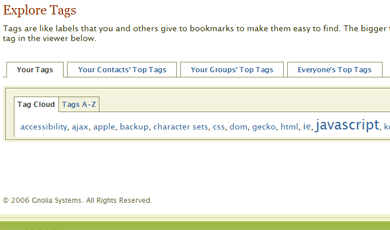
There are also different views in the Tags section where you can browse your tags, your contact’s top tags, your groups’ top tags and everyone’s top tags, and they can all be viewed in a tag cloud or in an A – Z listing.
The start page
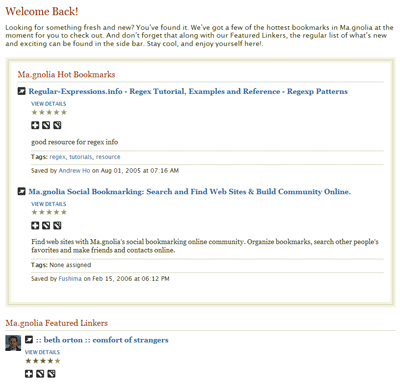
During the beta period, the start page consisted of your, your contact’s and your groups’ latest bookmarks. A good initial view that unfortunately was replaced with a Ma.gnolia Hot Bookmarks and a Ma.gnolia Featured Linkers section after it was launched February 15th. The hot bookmarks are fine, but I would definitely prefer seeing my contact’s latest bookmarks as opposed to the featured linkers that I haven’t chosen nor is interested in. Now you have to go to the Bookmarks section to get the beta start page view. Also, once you’ve left the start page, the only way of getting back is clicking the logo. Perhaps a Home link should be added?
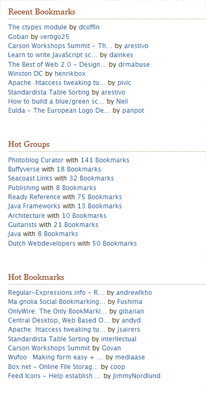
Other sections on the start page, in narrower right column, are Recent Bookmarks, Hot Groups and Hot Tags (and also Hot Bookmarks for other pages than the start page). All valid, but I really miss a listing of my tags. I gather most people will use this service as an archive for their bookmarks, nothing more, nothing less, so I think it’s a waste of an extra click to go the Tags section first.
Something that’s weird here, though, is that the start page just exclaims:
Welcome back
and then I go to the Bookmarks section that says:
Hello, Robert
Shouldn’t the start page be the most personal one?
Listings
Most bookmark listings contain three actions for every bookmark, with the addition of a fourth to easily switch your bookmarks between being private or public. The problem arises when I look at listing for a specific tag; then there’s no way to add it to your bookmarks and its name is linked to the URL itself. I missed it a couple of times, but the only way to add it is to choose the option View Details. I definitely feel an add functionality is missing there.
Another thing which I dislike is that the listing in the right column leads directly to the URL that the bookmark point to. I guess makes it easy to just go to that web page right away and see if it’s interesting, but there’s no way to add it from that list. Functionality I think should be added as soon as possible.
Another thing that would be nice to see right away in the listings is how popular a bookmark is, i.e. how many people have the same bookmark.
Design & code
The design is very nice with smooth and balanced colors. Default font size is good and it’s very easy to get a fast overview on what’s every page. Unfortunately, there’s a an ad space in the header, something that has to be there for revenue, most likely, but also something that ruins the cleanliness of the web site (it was so beautiful during the beta period :-)).
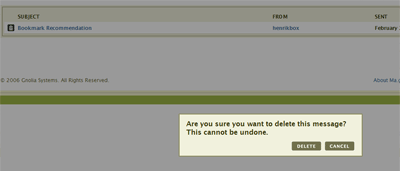
I also like the dimming of the entire web page when I want to delete something. Kind of hard to miss… 🙂
Another thing that looked good during the beta period was the state of the code, but now there seems to be some minor flaws in every page and also a few inline events. All-in-all, though, the code seems to be well-structured and semantic, so there’s definitely hope.
Gripes
The web site is, most of the time, fairly slow. This is disheartening since it’s a very nice service otherwise, and I really advise them to look into this as soon as possible. Soon the honeymoon period is over with the service being new, so it should be addressed right away. Also, for performance and small usability enhancements, dare I *GASP* suggest using some AJAX (Pssst! Look at ASK…)?
The issues with the listings are annoying but minor. I don’t think it would be a big deal to change that.
Conclusively, I’m not sure that I have the need for a bookmarking service. But if I ever will, Ma.gnolia would be my choice. The good news is that Ma.gnolia is publicly available now for everyone, so I urge you to go check it out!
This has to be a joke, some kind of twisted humor. Apparently the U.S. Government granted a patent to a web design company in California, one which:
…covers all rich-media technology implementations, including Flash, Flex, Java, Ajax, and XAML, when the rich-media application is accessed on any device over the Internet, including desktops, mobile devices, set-top boxes, and video game consoles…
My brother is currently living in London, for a study period between January and May. If you’re interested in reading about his impressions and the things he goes through, make sure to visit his blog ; I find it very entertaining! 🙂
If you’re in London yourself, please read this: He listens to the name of Martin. He’s a very nice guy and can talk for hours about topics that interest him. He’s a slow eater (just like me). He misses his girlfriend, his friends and his family. He’s extremely loyal.
Apparently the other day some kids shoot a paintball (paintball bullet?) and hit the window to his room. That shall not happen again! Therefore, I strongly encourage you to download this button image below, print it and put in your jacket.
A couple of nights ago, I went to the first out of three sessions dealing with the topic rhetoric. It is something that my employer is kind enough to treat me and my group to, and also something that I’ve always been interested in.
Funny thing happened, though, when the guy presenting said an unexpected word. What did he say? He said:
Fitta
Instead of “Hitta”, which means “Find”.
Why is that funny? Because that word means “pussy” and isn’t really a word one would expect from someone teaching the fine art of rhetoric. At first I thought I was the only one hearing it and that maybe it was only my perverse imagination, but afterwards everyone attending the meeting sneaked up to each other, saying:
When doing a web search and your search engine of choice (Google, for most of you, I presume) doesn’t return as accurate or useful results as you had hoped, you might decide that you just want search blogs. Reasons for this can be because blogs usually contain very interesting information, comments on the information and also that they are normally very up-to-date.
The way I see it, there are two major tools for searching blogs: Technorati and Google Blog Search. Google seems to be a little faster, although Technorati has really picked up lately. Technorati also offers ways to see how popular that blog is that contains the information you searched for while you also know that the information that is most up-to-date will be amongst the top results.
Personally, I use Technorati to see how many people link to me and which the latest links are. I never use Google Blog Search.
I love instant messaging, and it’s a tool I use daily in my work and for keeping in touch with people. My weapon of choice is MSN Messenger and it’s all I need to communicate with a lot of people. I know, I know, MSN Messenger isn’t that nice on Macs, but most Mac users have Audium instead, so I get away with using a specific client since they usually have accounts for all different IM services.
What has really made me mad recently is that I found out that Microsoft is filtering links sent with MSN Messenger, all in the best interest of the end user. The approach consists of plainly just removing links with the text such as “download.php”, so the person in the end doesn’t get the message, without any information that something was blocked. This approach is so poor and annoying I want to scream!
If you want to force people to download something, apparently you just have to name the page “WindowsUpdate.asp” and it will always get through every filter… And the thing is, your MSN messenger contacts are your friends that you have personally approved, you can’t them and their messages to spam.
I haven’t found any good article in English with an official statement from Microsoft, but in an article in the Swedish MagazineComputer Sweden , a spokeswoman given the title Responsible for Communication Services at Swedish MSN has made this statement:
For the moment, through a real time filtering technology, we are testing to deactivate certain links, parts of link strings and files that have names that can pose a threat to the users. […] is suspected, it’s then filtered by our servers and isn’t delivered to the recipient.
Please, Microsoft, listen: We don’t want to be your guinea pigs! Except for the laughable approach with string matching to see if anything they perceive as dangerous should be removed from a message, there are number of things you should see to right away if this is to stay in the product:
If a message is filtered in any way, the sender and recipient must be alerted about this.
It should be a setting if the filter should be applied.
My friend Jewel (not the artist, and not the Artist Formerly Known As Jewel) is conducting a small lifestyle survey about internet habits, and she needs more people to take it. It only takes about two minutes of your time to do it, so if you have the time, please help her out!
In the CNET article Microsoft gives glimpse of eight Vistas, it is hinted that Microsoft Vista will come out in no less than eight (!) versions. While it isn’t quite as bad as it sounds, I really can’t understand this decision.
Sure, they need to keep different version with and without Windows Media Player bundled etc, but in the end my take is that they will just confuse the customers. Same thing happened with the new versions of Visual Studio 2005 and its different flavors like Visual Studio 2005 Team System. I think that by releasing too many versions of the same thing, their market, sales and support departments will have hell trying to explain it, and most people will have no idea what to buy…
Yesterday, on the train home to my lovely suburb of choice, Vallentuna, I decided to look up at the other passengers around me. Within a radius of 1.5 meter, there were three tech freaks sitting with their gadgets.
Just across to where I was sitting, a guy was sitting gaming away on his Sony PSP; directly on the other side of the aisle a girl was sitting writing in a focused way on her Apple iBook; and in the middle, your dear blogger was sitting with his Apple iPod Video, watching a movie (I’ll write more about my gadget another day). Interesting to see how technology can help people to kill commuting time…
When we reached Vallentuna and I got up to get off the train, I saw a woman carefully (some would say manically) folding the paper to her Fisherman’s Friend. I couldn’t help wondering if she envied us for our gadgets or if she indeed was happier doing her origami attempt than needing something with a screen to make her feel content.
Some events recently has made me wonder how people see me and my opinions, how I’m perceived. I sometimes doubt I make good with what I write and what opinions I express.
I can sometimes be very direct with what I say about things I see and read; people can occasionally see it as outright blunt. This is also accompanied by a sarcastic and ironic sense of humor, which probably doesn’t make things better. But let me assure, I am really not evil. Perfection is definitely a subjective and relative word, although I always strive to make things as good as they can possibly be. And when I see people not doing their outmost to achieve that, people that just deliver something half-ass, it upsets me.
I’m not saying that everyone has to be addicted to what they do, but in my mind, why spend at least 40 hours a week on something that people know, or at least should know, is barely mediocre? Sure, many do it just to get paid and to live life fully outside their job. And I respect that, I really do. But one thing doesn’t have to exclude the other; being focused on doing a good job shouldn’t automatically mean a poor private life on the side.
We have a short time living and we ourselves are the only ones that can decide what to do with that time, that can affect our everyday situation. Do we want to spend the majority of it to actually accomplishing something, maybe even exceeding our expectations, or do we just want to use that time to fund the rest of it?
Henry Rollins made the observation that if you’re 20 and express your feelings in an intense and worked-up way, it’s normal. If you’re forty and do the same, people see you as bitter. He might be spot-on with what he follows up with (Henry, sorry for the, most likely, misquote):
The day I stop caring is the day I die
I sometimes wonder why I get so upset when I see poor code, when I read articles or blog posts from people that in my eyes haven’t done their best when producing it. Perhaps it’s just something that has to do with me. Maybe I waste time, strength and effort for nothing; maybe I get too involved in things that aren’t worth it, and judge people much too hard.
Perchance I should listen and act more according to the wonderful phrase Johnny Depp utters as the Willie Wonka character in Charlie’s Chocolate factory, when a young spoiled girl tries to get his attention:
I can’t imagine why I would care…
There’s is a likeliness that I hurt people with acting so frank, and the possibility that people don’t see me as constructive at all, but just as judgmental, uptight and acting like Mr. Know-it-all. That I never encourage people but only highlight their tiny and highly insignificant flaws.
If I have hurt someone by the things I communicate, I sincerely apologize. It is not meant to be personal; I honestly do aim to be constructive while I at the same time can be tough. If it’s any comfort at all, let me reveal that the one that I put the highest pressure on is me.
Please don’t hesitate to let me know, I strongly urge you to be utterly honest: What do you think? Should I just chill, or am I on a good path? Am I being negative?
Last weekend was yet another wonderful one, spent together with my family and taking long walks in the snowy landscape. Yesterday morning, Emilia and I went on a walk before Fredrika woke up, and, since it was getting warmer, the initiative to build a snowman came up before the opportunity would pass.
While constructing it, I was seriously doubting if I have ever built a snowman before in my entire life. I must have, right? I’m not particularly gifted with working with my hands (except for playing the guitar and some other things…), I’m more the type of man that just lifts or moves heavy stuff and puts it down again, but still, the work with the snowman didn’t go as smooth as I had hoped.
Emilia didn’t seem all that interested in it either, she helped me patting the snowman now and then to make it smooth, but otherwise she went on her own adventures. I worked on it for a while and then Fredrika came out and provided me with the necessary pieces to be able to give him a face. Maybe this just looks like a scary-ass snowman to you, but I still you hope enjoy seeing it:
This morning, when I read the headline technical article in Computer Sweden , I got upset, tired and saddened. Basically, the article is calling Swedish companies out of date just because they aren’t using AJAX for their web sites. It also somehow manages to convey the notion that AJAX = Web 2.0.
First, AJAX is not Web 2.0. A Web 2.0 company/solution might use AJAX, and that’s it. Using AJAX doesn’t automatically make it Web 2.0. Period.
Second, calling AJAX modern is just ignorant. The technical possibilities have been around for years, the only thing that’s “new” is the acronym and the hype.
Third, even if it were a modern approach, why would everyone benefit from it? The web is already filled to the brim with unmotivated AJAX solutions; web sites that have sacrificed accessibility and usability just to be doing the latest thing. Now this magazine, probably the technical magazine/paper with the highest amount of readers and vastest reach in Sweden, helps to spread the word that everything has to be AJAX-based, which will, without a doubt, lead to a lot of web developers out there start doing it right away, and managers will run to their employees proclaiming that they just can’t miss this.
The article is written by a reporter who, last week, published an article stating that web sites would have to be re-written for IE 7. Sure, if it were amateurs doing the job the first time around… So, needless to say, his track record reveals that maybe he hasn’t gotten a technical expertise. Which is fine, but then please do the proper research before publishing such pieces. With such a job, there’s a responsibility that goes with it.
One company that is mentioned and quoted in the article is hitta.se , who proudly announces that their AJAX-based preloading maps are so much better than their competitor Eniro’s are. Ok, let’s take a swift look at hitta.se and see for ourselves:
With JavaScript disabled, no maps are shown at all (compared to Eniro’s that at least show up initially, but then the navigation of the map doesn’t work).
The code is riddled with inline styles and inline scripts, completely forsaking the professional approach of having this in separate layers.
The word semantics doesn’t seem to have gotten through at all to the web developers; the state of the HTML code is appalling.
So, where does this leave us? They’re proud to be using the “new” technology AJAX, while totally forsaking everything else when it comes to good practice, accessibility, usability and proper web interface developing. If you implement such a simple thing as a map on a web page, and especially for such a popular service on the web, your responsibility is to make sure it isn’t dependant on JavaScript.
Does this mean that AJAX has to be inaccessible then? Absolutely not, it’s all about doing it the correct way. Also, I don’t have a problem with AJAX itself; on the contrary, I agree that used in a proper context, it can make using a web site a lot more interesting, useful and fast to use. But it should never be used at the cost of excluding users or normal web browsing behavior such as using the forward and back buttons in the web browser, bookmarking, reloading etc (this is all something I wanted to address with ASK – AJAX Source Kit).
Do I have a beef with hitta.se? Not at all, I just get tired when people make statements and say that they’re so much more in the loop than other companies, and then it’s obvious that they haven’t done their job correctly. In fact, I know the people behind specifying the concept, and I think it’s great! It’s just sad that the web developers implementing it didn’t have the skills to match it.
Conclusively, I’d advise hitta.se to make their next statement when you’ve done your job right. Till then, do your homework…
When I read Roger’s post Let’s skip Web 2.0 and go straight to Web 3.0 this morning, I experienced some strong feelings that I felt I wanted to elaborate on. Basically, the post is a write-up of people jumping the bandwagon, just following every new tech-hype and feel that they have to implement it.
I’m happy to call Roger a friend of mine, and generally we do agree about this topic; also my and his opinion got a little clearer after an IM conversation regarding it. But, as I wrote in my comment on his web site, I think a lot of people will always do the latest thing just because they can, and a majority will do it in an unprofessional way. Cynical, maybe, but true. I don’t think we can ever stop people from doing such a behavior. It might be driven by web developers, people in sales or whoever
So, the first point I want to stress here is that people should try out the new things, to see what it’s about and to form an opinion. Also, their responsibility and job is to do it without sacrificing things like accessibility and usability. A new technology or approach shouldn’t ruin all the work and conclusions people have come to before about what’s best practice in web development.
The second one is that if a lot of big names/pro-bloggers/(or whatever you want to call them) diss new technologies or mention them in a bad context I’m afraid that people will shy away from something that might actually be a good thing (I know Roger isn’t doing that in his post, but at first it seemed like that to me). It becomes a hype to not follow the hype, if you get me.
I think we should instead indeed embrace the hypes that come along and then carefully mould them into a good thing. Not just refrain from using it, because it has gotten popular amongst less considerate web developers.
Last Thursday I had the immense pleasure of meeting Tommy Olsson in person. For those who recognize his name, he’s the person behind the now resting blog that contains excellent writings, The Autistic Cuckoo.
When I first started out blogging, Tommy was one of the persons that really supported and inspired me, so I was really glad to finally meet him! Tommy lives about four hours north of Stockholm, therefore we haven’t had the opportunity to meet sooner. Unfortunately we only got an hour or so together between Tommy’s Stockholm meeting and his train ride back home, but I see this more as a beginning of upcoming meet-ups than a one-time thing. 🙂
If you haven’t read his writings, I definitely recommend you taking a look. Also, the moral of this post is to make sure you meet people in real life; if you like someone’s writings, or if there’s anyone who likes what you produce, just make it happen. I think it’s important for digital friends to meet up, it’s a totally different kind of socializing that we need to combine with our life in front of computer screens.
So, if you’re in Stockholm, don’t hesitate to contact me! I love meeting people!
Love is in the air. Or rather, it wasn’t in the air yesterday, until 20:00 last night. But let me start from the top:
Knowing that I would not get away from work yesterday, Valentine’s Day of all days, before all flower shops were closed, I decided to order flowers online instead and have them sent to Fredrika. Big mistake. Just after 08:00 I arrived at work to peacefully get online and order them before everyone else got to work. Problem 1: the customer I was working at yesterday have a web filter in which my desired flower web site was banned (trust me, I will really get back on this topic another day), but after some trickery that would involve my surfing being logged by them, I got in.
I chose a nice bouquet of red roses and clicked to get to the confirmation page, the one after you entered all the tedious details and to basically just get an overview to see if everything is correct, and then just click confirm to have them sent. Problem 2: while the page looked fine, no confirm button was to be found. My guess was, since I was using Firefox, that the web site had some inaccessible script approach that would only work in IE on a PC (I mean, we’ve all seen that one before…). So I switched to IE. Went through the same steps, got to the confirmation page, but still the same problem. No fucking confirm button!
Getting a little stressed, and at the same time being a web developer geek, I decided to look at the source code of the page to see if I could find the error and get around it somehow. Bad move. I was wading through terrible code; some of it is shared below:
Very popular code approach. If this had been 1999!!!
Anyway, the reason the confirmation page wasn’t working properly was because of the fact that some non well-formed code was written to the page (actually, pretty much in line with the rest of the code, to be honest), that, in some weird way, prevented me from actually confirming my order and making it all happen. So I decided to call their customer service: the line was busy! How the hell can you have a customer service number that’s busy?! Have some kind of queue or at the very least an answering machine service explaining that there are too many calls at the moment.
Instead I called their switchboard, basically just telling them that I couldn’t confirm my purchase at their web site. After saying that, I was immediately dispatched to some person in customer service… The conversation went something like this:
– I can’t buy flowers on your web site, it’s impossible to confirm my order.
– Yes, we know, being Valentine’s Day and all, we have a lot of traffic. Thinking: So?
-Well, ok, but the reason maybe isn’t just the traffic but that actual parts of the code is missing.
– Yes, we know, being Valentine’s Day and all, we have a lot of traffic. Also slightly insinuating that I should try later… Ok, come on! Losing it now…
– Ok, but what should I do then? What do I do if I want to order flowers right now?!
– Are you paying by credit card?
– Yes!
– I guess I can take your order then over the phone…Sounding very uncomfortable I exclaimed a sarcastic “Yay!” in my head
We then went through the order, which took some time, and all the time she insisted on humming. It might be soothing for some people, but it definitely wasn’t for me. I was just pacing back and forth with the phone, you know that kind of pacing that you do to get some aggression out of your system, just to make sure my tone of voice wouldn’t reveal my actual feelings.
When we were done, I finally thought things were ok and went back to work. Later, when I got home around 18:30, no flowers had been delivered. I tried to keep my calm but was probably visibly upset. I explained to Fredrika that I had ordered flowers, that I really do love her. She just shrugged and said that she hadn’t really expected anything, that it was all cool. It made me feel a little better, but mentally, while sipping the white wine and having dinner, I was already preparing for the scolding the flower company would get the day after.
The evening passed by quietly, and after Emilia had fallen asleep we were sitting on the couch, carelessly watching TV. At 20:00, I heard a car door being slammed shut just outside and just as I got up, the door bell rang. As probably all of you who have children know, a ringing door bell just after your child has fallen asleep isn’t that popular. Nevertheless, luckily Emilia seemed to keep on sleeping and I ran to the door to see who it was. And lo and behold: the flower delivery man!
He was reeking of cigarette smoke and so was the paper that surrounded the flowers, but I couldn’t really care less. The flowers had arrived! And in the poor delivery man’s defense: if I had to drive around during the evening of Valentine’s Day delivering flowers to all kinds of weird addresses, I would probably also need some kind of drug to motivate me…
So, all’s well that end well!
You want a moral to this story? Life is actually good! And, oh, don’t do e-commerce if you can’t handle it. 😉
So, if that sounds interesting, or if you just want to hear my Sean Connery-like voice (yeah, right…), go listen now. The interview is unfortunately in Swedish, but, who knows, maybe the rest of you can pick up some Swedish web developing buzzwords…
As most of you probably know, the target attribute isn’t allowed on links in strict HTML or strict XHTML. The thinking behind this, as I’ve understood the reasons behind this decision, and as I also see it, is that there are too many web browsers out there, be it in computers, PDAs or cell phones, and there are a number of factors that applies then. The most important ones seem to be:
Many of them don’t support opening new windows.
Most computer web browsers support tabbed browsing as well.
It should be up to the end user, not the web site, to decide if a link should be opened in the same window, a new window or a new tab; web developers shouldn’t force such behavior on people.
While all this is good and respectful and sounds great in theory, it’s not that easy in the real world. Let me take a case in question: in one of the projects I work in, they had a demand that a link should be opened in a new window. I came up with the usual counter-arguments why we shouldn’t do that, but to no avail. However, the thing is, I partly agree with the customer and Project Manager in this specific situation; why a new window was actually somewhat motivational to use:
The link was to a PDF file, with all the possible problems that might come of that, and as had already happened to many users (the web site in question is live), they clicked the link and then they just totally lost touch of orientation.
Most people don’t understand the behavior of tabs or new windows, and a majority get confused when they get linked to another web site in the same window/tab. And yes, professional users, like I gather most of you are, have no problem, but we also have to regard our end users.
In the end, I went with using the target attribute. Sure, I could have used an unobtrusive JavaScript to add an onclick event and used window.open, and at the same time get perfectly valid code, but then it wouldn’t be as accessible and also dependant on scripts to function properly,
So, I feel a little perplexed about this: is target really a justifiable approach in some cases (though it has been terribly misused), or is my example just the exception that justifies the rule? Should we take some responsibility in educating end users, or just deliver what they ask for?
Denny brought to my attention that the history and the links didn’t work flawlessly if you have the same target element for several ASK links. Therefore, I’ve now added a paremeter to the object constructor, this.useSameTargetForSeveralCalls = false; that should be set to true if you want to use the same target element for several ASK links. However, the default value is false to avoid adding links to the history if they have different target elements, and also to save performance.
Updated September 29th 2006
I’ve updated a more fail-safe way to use the XMLHTTP ActiveX object in IE, and also added proper fallbacks if the first one fails.
Also, a very minor change has been done to the event handling to cover up for a bug in IE’s garbage collector (something I hear will be addressed automatically in IE 7). In 99,9% of the cases you won’t notice any difference, but if you use it in a very advanced web site/web application it might make things better and less resource intensive.
I have always liked the approach of updating certain content on-the-fly in a web page without the need of reloading the entire content. This approach has been around for years and has fairly recently been nicknamed AJAX.
The thing with AJAX is that it needs JavaScript to work and a direct consequence surrounding its hype is that a lot of web sites have implemented it without catering to common usability and accessibility factors. This is something that has saddened me, and therefore I developed ASK – AJAX Source KIT to address that while at the same time offer a light-weight library to implement AJAX functionality without having to worry about web browser differences.
The basic idea of it is to implement AJAX without sacrificing those factors and at the same time do it in an unobtrusive way, meaning that there’s no need for any event handlers or extra elements in the HTML code. All that is needed is to include the ASK JavaScript file, assign certain class names to the elements one wants to apply the ASK functionality to, and then implement accessible as well as AJAX-enhanced versions of the content that shall be retrieved dynamically.
My ASK concept was featured in the February issue of Treehouse Magazine, where you can find a more in-depth explanation of the code and about the choices I made during its developing phase.
My humble hope is that by seeing this, more web developers will understand what it takes to take a considerate approach to AJAX while using it to offer end users a richer experience. Please try it out and don’t hesitate to post any questions here that you might have.
I am very proud to announce that my latest code concept, ASK, is the feature code article Easy Ajax with ASK, in the February issue of Treehouse Magazine.
I was actually asked back in Mid-November to contribute, but unfortunately I had too much things going on then, so I didn’t feel I would have the time and the focus necessary to produce something worthy of being in Treehouse. We talked back and forth and postponed it until now, but finally, here it is! 🙂
Part of me is humbly very appreciative of being asked, no less by the extraordinary people of Particletree producing Treehouse, and whose impact on the web developing scene has been tremendous; I think there are few web developers out there, at least of the blog-reading kind, that have never heard of them.
Another part of me thinks I rightly deserve this; during the last seven years I’ve put a vast amount of time into web developing and into learning and trying to become a better and more considerate web developer. To work that hard for something and to get this kind of recognition warms my heart and sends me the message that it was all worth it, it wasn’t a struggle in vain.
Tomorrow I will write a release post offering you the source code and a demo of ASK for you to try out and give me feedback about. However, that post will only be a short introduction, if you want a longer technical explanation as well as getting to know why I made the different choices I did, I strongly recommend to get a hold of the Treehouse Magazine issue (plus the fact that you will then have a day up on everyone else, since a link to the demo is in the article).
Also, nevertheless, if you’re not even slightly interested in ASK, I still recommend picking it up, because, as every issue of this magazine, it’s fascinating.
PS. Yes, apparently I’m being a little narcissistic today. Please let me just have this one, I promise I’ll be back to normal soon… 🙂 DS.
I’m not really sure if there’s a need for this out there, or if what we’re seeing is a new need being created. While I like the idea of making switching between tabs more visual, at first I didn’t find this feature useful at all. Also, using foxPose meant that when I use it, it opens up the thumbnails in a new tab. Annoying.
But then I started using it in IE 7 and I love the simplicity of it. Just press Ctrl + Q to show the thumbnails, and then press it again to make it disappear. Very nice! The only thing in the IE 7 thumbnail view that felt a little awkward was that the scroll bar had the old Windows 2000 look, while the web browser itself had the nice XP look.
What’s your take on this? An overrated feature or something that will be default web browsing behavior in the future?
Microsoft has now publicly released IE 7 Beta 2 Preview, which you can download in their IE page. It is only available for Windows XP SP 2 as of now. Naturally, your favorite blogger (yeah, you know it’s true, just admit it! ;-)) has taken it out for a short test drive.
The good
The interface
It has a very nice and intuitive interface. I really like the rearrangement of menus and buttons; clean and sleek.
The zoom feature
Without a doubt, this is the best feature of this release! I wrote about my opinion about this in Web browser vendors are also responsible for accessibility and this is exactly what I’m looking for. The combination Ctrl + scroll wheel or Ctrl + +/- now zooms a web page.
Searching in the history
They have added a Search History feature. Seems like a great idea, but for some reason it never worked for me.
No more almighty select elements
It works positioning elements on top of select elements so they don’t shine through. Finally!
XMLHTTPRequest support without ActiveX
XMLHTTPRequest now works even if ActiveX controls are disabled.
Anti-aliased text.
It looks like the text in the web browser now is automatically anti-aliased.
Conditional comments support and consistency
Conditional comments are still supported and in a consistent way. You can use code like this to only include code in versions of IE prior to IE 7 (most likely CSS fixes):
No min-width/max-width or min-height/max-height support
This isn’t just bad but outright irritating! The incorrect handling of width and height is behind many flawed layouts on the Internet, and to see that this still isn’t supported is outrageous!
Lack of support for pseudo-classes
Pseudo-classes like :hover, :focus, :after and :before have no support (except for, naturally, :hover on a elements). Microsoft claim that :hover should be supported on all CSS
elements (what the hell a CSS element is…?), but I couldn’t get it to work on any other element type.
No resizing of fonts in pixels
Resizing fonts specified in pixels still doesn’t work. To my knowledge, the only web browser on the market that doesn’t support it.
I found something that shocked me when I tested this web site: no content was shown but the background color. After some research and testing, I found the error. I use an element for clearing floats that looks like this:
The result of this that everything vanished! I thought that maybe it had something to do with the margin-top or overflow property, but no. It was height: 1px that threw it off so much. And the thing is, no matter what height I set the element to, it didn’t work. I had to completely remove it, and then things worked just fine. Terrible!
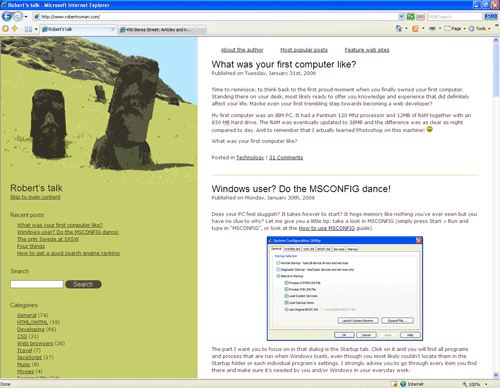
Time to reminisce; to think back to the first proud moment when you finally owned your first computer. Standing there on your desk, most likely ready to offer you knowledge and experience that did definitely affect your life. Maybe even your first trembling step towards becoming a web developer?
My first computer was an IBM PC. It had a Pentium 120 Mhz processor and 12MB of RAM together with an 850 MB hard drive. The RAM was eventually updated to 38MB and the difference was as clear as night compared to day. And to remember that I actually learned Photoshop on this machine! 🙂
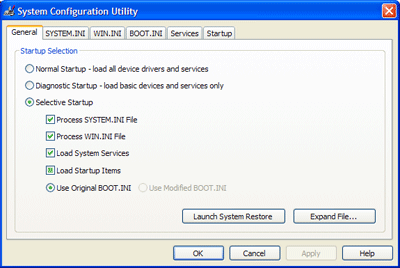
Does your PC feel sluggish? It takes forever to start? It hogs memory like nothing you’ve ever seen but you have no clue to why? Let me give you a little tip: take a look in MSCONFIG (simply press Start > Run and type in “MSCONFIG”, or look at the How to use MSCONFIG guide).
The part I want you to focus on in that dialog is the Startup tab. Click on it and you will find all programs and process that are run when Windows loads, even though you most likely couldn’t locate them in the Startup folder or each individual program’s settings. I strongly advise you to go through every item you find there and make sure it’s needed by you and/or Windows in your everyday work.
I decided to do this last weekend, just because my home laptop was a little slow and because I have no life (at least not when my daughter is sleeping and my girlfriend isn’t at home). Besides all the totally unnecessary processes I found there, to my horror I found a Trojan/>Backdoor. Being a Windows user, I naturally have a firewall as well as continuously updated antivirus program. I run Windows Update frequently and I use Firefox as my main web browser, so people shouldn’t be able to get to me through an IE glitch.
So how did this happen? I have no idea. How long has it been there? Clueless. But very very annoying and frightening. I want to be able to use a computer connected to the Internet without having to keep it in an atom bomb-proof safe… 🙁
In March, the biggest web event of the year (at least in my eyes) is taking place in Austin, Texas, USA; its name is SXSW Interactive. There will be speaking performances from virtually every interesting person in the business, and the networking possibilities are infinite. And now I’m lucky enough to announce that I’m going! 🙂
I spoke to Roger the other day, and he informed me that he had decided not to go. I guess that means I’m the only Swede, no, correction, the only blogging Swede that I know who is going; I’m traveling there together with a Swedish colleague, Daniel. He is a hilarious guy, so I’m fairly sure that we will have a lot of fun trying endure all the hours on different flights (yes, it’s a pretty long journey from Stockholm to Austin).
Anyway, I do hope I can be a good representative for Swedish web development, and I look forward to learning a lot and to meeting very inspiring people as well a number of friends I’ve made in the web development community, almost too numerous to mention. And if I did, you would just regard me as a namedropping freak, so I won’t do that. 🙂
So, what the hell do I look like then? How do I find Robert Nyman? Well, I look something like this:
I’m staying at the Hilton, where a number of cool people are also staying. Are you going? Write a comment and let me know!
I saw this four things meme going around the blogging world but was kind of hoping it would miss me. Just as things seemed to quiet down, though, Roger got me. Make sure to follow the links from this post, some of them are actually interesting! 🙂
Here goes:
Four jobs I’ve had in my life
Working in a gas station
Packaging trucks for UPS
Sales man
Web developer
Four movies I can watch over and over
I love movies, and I also have reviews of some in my movies section. Not sure I would really watch Big Fish over and over, but it’s an amazing movie and everyone should see it.
Technically speaking, he hasn’t got a blog (to my knowledge), but I still just have to name him as a runner-up, because I know he would put together an outstanding (and maybe horrifying?) list: Mr. Robert Wellock.
I would actually want to tag each and every one of you kind enough to read my ramblings, so please please feel free to share your four items in any or all of the categories below in a comment!
With the humble title of this post, I guess I really need to add that these ways mentioned below are the ones I’ve experienced to be very reliable to get a good search engine ranking. Naturally it varies a lot, but I get somewhere between 28 – 45% of my visitors from pure Google searches, out of just having a high ranking (and sometimes for terms that amaze me :-)). These are my advices:
Semantic code
Make sure you write semantically correct code, meaning that you need to use the correct element for the right situation. It is all about how you mark the words you are using, and how and in what context you want them to be interpreted.
Friendly URLs
Make sure you have URLs with a good descriptive value, as opposed to one being made up of just a lot of parameters. There are different tools and settings to achieve this in most, if not all, web development environments. For instance, these two links both lead to the same web page:
If you get mentioned with good words in an appropriate context, especially from a web site that has a good PageRank, it will help push you up the search engine list.
These are the only tips I can give you; basically, it’s just about good web development practises and maintaining good relations with other web site owners.
I’m sure there are good SEO companies out there, but the ones I’ve come across have all been unprofessional and/or been using very suspicious methods. And as soon Google update their algorithms, there’s a big chaos when some SEO’s dubious work fail, since some of their tricks have been found out and taken care of. Then, naturally, it backfires so their customers get a very bad search engine ranking.
Just do as I suggest above; code properly and you will be safe. Look around to see how good search engine ranking most web developing blogs get, just because they know how to implement a web site in a correct manner.
Come on, give us a bad example
Sure, but only since you asked for it. Recently the web site http://www.larmdirekt.se/was brought to my attention. If you navigate to their web site and disable CSS in your web browser (Ctrl/Command + Shift + s is one way to do it if you use the Web Developer extension in Firefox), alternatively view the source code of the page.
In the footer, you will then find a link with the text “y”, which leads to the page http://www.larmdirekt.se/laarm/. Make sure to turn off JavaScript in your web browser and navigate to that page and you will not believe your eyes: a little link farm. If you surf around those links you will, amongst others, find the names of some fairly large Swedish companies, and the best thing of it all: the name of the SEO company in the title bar.
So, go check out the code of your own web site right now, or ask your SEO what methods they use.
I’m sorry, but I just have to share this amazing list with you: Top 10 Wackiest Conspiracy Theories. I mean, a list with the items mentioned below is just to good to miss!
Dinosauroid-like Alien Reptiles are dominating the World
Apollo 11 Moon Landings were faked by NASA
September 11 was orchestrated by the U. S. government
Barcodes are really intended to Control people
Charlemagne never existed, is a fictional character
The Truth is out there, on Area 51
Microsoft sends messages on Wingdings Font
U.S. military caused the 2004 Indian Ocean Tsunami
The IE team has made a very wise decision to natively support XMLHttpRequest in IE 7. XMLHTTPRequest is the foundation of any AJAX usage, and I for one applaud the move to make it available without the demand for using ActiveXObject.
Using object detection, one can easily make your code backwards compatible as well:
var oXMLHttp;
if(typeof XMLHttpRequest != "undefined"){
	/* Code for:
		IE 7
		Firefox, Mozilla etc
		Safari
		Opera
	*/
	oXMLHttp = new XMLHttpRequest();
}
else if(typeof window.ActiveXObject != "undefined"){
	/*
		Code for:
			IE 5
			IE 6
	*/
	oXMLHttp = new ActiveXObject("Msxml2.XMLHTTP");
}
Apparently Opera’s claim to support document.all in conjunction with not mimicking it exactly like IE led to some problems in Opera 9. Thanks to Ash Searle who tipped me about this and also explained what the problem was. The code below and the JavaScript file to download are updated.
Since we all have to face a new hard tough week now, I thought I’d brighten your day by giving you some code that might be useful.
Ever run into a situation where you want to get an array of all elements with a specific attribute? Or even want elements with a certain value for that chosen attribute, as well? That’s not a problem anymore; let me present getElementsByAttribute.
/*
	Copyright Robert Nyman, http://www.robertnyman.com
	Free to use if this text is included
*/
function getElementsByAttribute(oElm, strTagName, strAttributeName, strAttributeValue){
	var arrElements = (strTagName == "*" && oElm.all)? oElm.all : oElm.getElementsByTagName(strTagName);
	var arrReturnElements = new Array();
	var oAttributeValue = (typeof strAttributeValue != "undefined")? new RegExp("(^|\\s)" + strAttributeValue + "(\\s|$)") : null;
	var oCurrent;
	var oAttribute;
	for(var i=0; i<arrElements.length; i++){
		oCurrent = arrElements[i];
		oAttribute = oCurrent.getAttribute && oCurrent.getAttribute(strAttributeName);
		if(typeof oAttribute == "string" && oAttribute.length > 0){
			if(typeof strAttributeValue == "undefined" || (oAttributeValue && oAttributeValue.test(oAttribute))){
				arrReturnElements.push(oCurrent);
			}
		}
	}
	return arrReturnElements;
}
The parameters are:
oElm
Mandatory. This is element in whose children you will look for the attribute.
strTagName
Mandatory. This is the name of the HTML elements you want to look in. Use wildcard (*) if you want to look in all elements.
strAttributeName
Mandatory. The name of the attribute you’re looking for.
strAttributeValue
Optional. If you want the attribute you’re looking for to have a certain value as well.
And these are a couple of examples how it can be called:
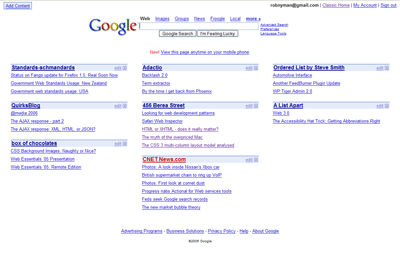
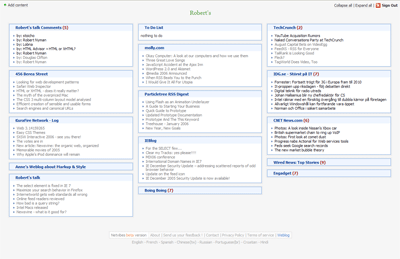
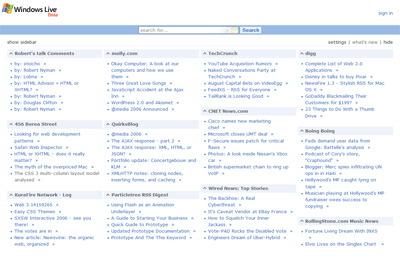
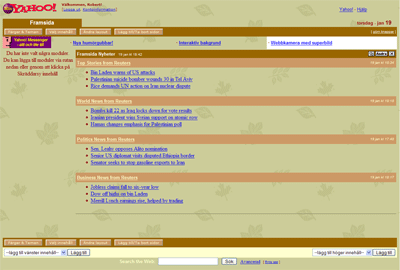
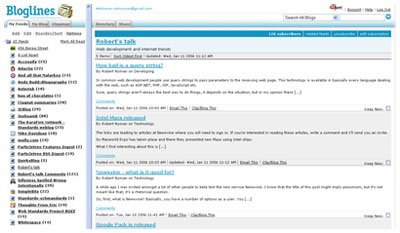
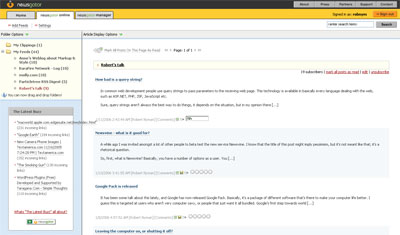
A while ago I read Garret Rogers’ post The personalization war, which in part inspired me to write this introduction to different personalized start pages. So what are those, really?
The main purpose of such a start page is for you to get a good and easy overview of a lot of things, including the feeds you follow. Different services also offer different gadgets that you can use, such as seeing your e-mail inbox. Naturally, one of the most useful parts of this is that you have access to the same start view and information wherever you are and whatever computer you are using.
Most of them are, of course (sigh…), in a beta state, so I haven’t really taken that into my observations. I’ve tested them in different categories, and I name a winner for each and finally, a total winner. Live/Start is developed by Microsoft, but I’m not sure if Start will still be around and if they’re putting all their energy into Live now. Both are pretty much the same service right now, though.
Design
Google Personalized Home’s service looks pretty much like all of the other Google services, as opposed to Netvibes and Live/Start who have got very lean interfaces. Netvibes has also got a nice distinct background and borders around its parts to easier tell them apart. My Yahoo! offers a lot of themes, and each and every one of them almost makes me barf.
Winner: It’s a tie between Netvibes and Live/Start.
Usability
All of them, except My Yahoo!, rely heavily on an AJAX approach with drag and drop to position your different parts wherever you feel like. Netvibes and Live/Start also offers the possibility to expand and collapse different parts, where Netvibes also has links for expanding/collapsing all parts. Netvibes is the only one showing you a number of unread posts for each of your feeds.
Google Personalized Home and My Yahoo! only present direct links to the posts in your feeds, whereas Netvibes and Live/Start present the text for each feed when a link is clicked, together with the other posts for the same feed, and there you can choose to expand or collapse the text for all of the feed’s posts.
Netvibes and Live overlays a “page/window/layer (yeah, I’m sorry for that word :-))” that fills the entire web browser window when the links are clicked, as opposed to Start that just opens a small one. Start’s behavior is definitely the one of these I prefer.
Live/Start also offers small arrows after each post in a feed which is a direct link to the post in question. This would have been great, if they haven’t added the functionality to these links to automatically open a new window. Extremely annoying. This is 2006, ok? People want to choose themselves if they want to open a link in the same window, a new window or a new tab; don’t force a behavior on users. And if you’re so worried most users won’t get, just offer this as a setting then.
I wish Netvibes would also have these arrow links, but naturally not with the behavior mentioned above that Live/Start have. In the overlay that is opened up, Netvibes’ also dreadfully opens new windows when each direct link to another web page is clicked. Stop it! Now!
Settings-wise, Live/Start is the winner with offering you how many columns you want to use, from one up to four columns. My Yahoo! is the only other service offering this, with the choice of two or three columns. My wish is that all of them should really offer a way to see the text for each feed post in the same view when it’s clicked, and also to expand or collapse all posts for a certain feed or the entire web page. I also wish Netvibes would add a way to mark all posts for all feeds read.
Another thing that blows my top is that the sign in-link on Live for a long time didn’t work in Firefox. Then they fixed it, but apparently added some new update, so now it’s broken again. It’s just a link, dammit, how hard can it be? And the number of dead links and things of inconsistency one stumbles on while using My Yahoo! are too numerous to mention.
If it hadn’t been for Live/Start forcing me to use a Microsoft Passport account, I would’ve declared a tie between Live/Start (because of being able to choose what number of columns to have, and Start also for its nice reading window) and Netvibes (for its unread items feature). However, because of that, it tripped Live/Start at the finishing line.
Winner: Netvibes.
Accessibility
I turned off JavaScript, and not surprisingly, none of them had a full proper fallback. Netvibes and Live/Start didn’t even render any content nor give me a message saying that I had to have JavaScript enabled. Most of the links didn’t work either for Live/Start when tabbing to them and then pressing Enter. Google Personalized Home rendered the content fine but told me that I had to have JavaScript enabled, and has a text saying that it now works on mobile devices (I haven’t verified this). My Yahoo! kind of worked without JavaScript except for some parts.
Winner: My Yahoo!
Importing/exporting OPML
The most efficient way to use your feeds in different services is to have them categorized in an OPML file and then just import them. Netvibes and Live/Start offer importing as well as exporting of OPML files, although, for some, reason, Netvibes didn’t work correctly with my OPML file that seems to work fine for all the other services on the web. The problem was that I could indeed import the feeds but then the grouping went wrong so I could never see the content of any feed or add it to my page.
Google Personalized Home and My Yahoo don’t offer neither of these, which, to me, is shocking.
Winner: Live/Start, for working flawlessly with feeds.
Gadgetry
Google Personalized Home offers you seeing your GMail inbox (surprise), My Yahoo! offers you to see your Yahoo! Mail (another shocker) and Live offers you to see your Hotmail (yeah, I’m trembling with excitement now…). However, Live also has a number of other gadgets for you to use, where Netvibes seems to have the best ones. Netvibes have, amongst others:
Mail (GMail, Yahoo! Mail or any other POP mail you want to add)
Webnote
To Do List
Delicious
Winner: Netvibes.
Code quality
All of them have validation errors, but Netvibes seemed to be the only one that didn’t have well-formedness errors or invalid elements. Google Personalized Home and My Yahoo! didn’t even have a doctype. Semantically, they were all pretty poor…
Winner: Netvibes.
The winner is…
If you’ve mustered enough strength to read this far, you have probably guessed that it is: Netvibes. Overall, they offer the most stable, reliable, usable and customizable service. While it’s far from perfect, it’s definitely my pick of the pack. Are you using any of these, or some other personalized start page service? Let me know!
Congratulations, all web developers! In IE 7, the select element and its rendering is finally fixed, according to the For the SELECT few… post at the IEBlog! Support for z-index and title has been added, as well as for zoom (Yay! ;-)).
I though I’d share with you how you can really enhance your web searching by customizing the built-in search in Firefox, and perform more defined searching. If you aren’t aware of it, you have the possibility to add a lot more search engines to the Firefox search bar; a list of very interesting search engine add-ons can be found in the Search Engines web page.
Naturally, using the mouse to select the search field and a search engine is just tedious as well as strenuous, so let me provide the shortcuts you need to make your life easier:
Ctrl/Cmd + K to set focus to the search field.
Ctrl/Cmd + arrow up/arrow down to change between installed search engines (focus has to be set to the search field first).
Alt/Option + arrow up/arrow down to display the list of installed search engines and then arrow up/arrow down followed by Enter to choose one of them (focus has to be set to the search field first).
This post is mostly applicable for Swedish readers, but I believe most of you in other countries stumble across this fairly frequently too.
Here in Sweden we have a publication called Internetworld , whose target group is mostly private users and small businesses. Their articles mostly deal with business gain, short press releases what has happened in the field of technology with things like new services on the web, Firefox increasing its user base etc. Out of general interest I read it, amongst a lot of other publications, just to stay on top of what’s going on and what people are talking about.
When I had worked a while in the internet business, I soon realized that they aren’t always exactly spot on with their articles, especially when it comes to technology choices, coding tips and its likes. However, what they’ve written has mostly been harmless and can at least be of some help to amateurs starting to code.
However, I just browsed through the latest issue with an article entitled “Web standards part 1 – Adapt the web site for different web browsers”. Just reading the headline, I realized it probably wasn’t going to be good. After going through it I came to the conclusion that it isn’t as bad as I first thought, they do, at least partly, try to convey the message that there actually is something out there called web standards and it is there for the device “Code once, run everywhere” kind of equivalent for web code.
Unfortunately, though, they have some parts and quotes that I sincerely think will hurt new web developers’ attitude towards web developing and that’s the reason for me writing this. They briefly touch on the fact that there are different interpretations by web browser vendors how web standards should be implemented. While that is to some degree true, it’s seldom knowledge that beginners need to know, it’s usually only interesting on a pretty high level, as long as you start out the correct way when you build your web sites. And it’s rarely a problem when you write HTML/XHTML, it’s usually when you code CSS that this will be more evident (which will, as I understand, be touched on in an upcoming part in this series).
The conclusion of the article is to follow web standards if you have no idea about your target group; otherwise, offer them an enhanced and web browser-specific version that only works under certain circumstances. Another conclusions is that web standards is an “advanced technique” and question if it’s worth to require that out the users to have such modern web browsers to be able to use your web site; talk about not understanding web standards.
I don’t know where to begin with to describe how damage such an attitude will do. Sure, naturally most if not every web site out there will work better in a later version in, say, Internet Explorer or Firefox than in Netscape 4 but that doesn’t give you the right to shut out users with an older web browser. It’s all about progressive enhancement.
Another thing is that even if you do know a lot about your visitors and the statistics, that situation can almost change overnight. Build an Internet Explorer-version on proprietary code just to realize a month later that many of them have started using any other web browser out there. Also, does anyone really know how many web browsers there are out there? Hundreds and hundreds, let me tell you that. Different web browsers on different operating systems, PDAs, cell phones, digital TV boxes et cetera. The only way to make sure that your code will work is to follow web standards. No, web standards will not solve your every problem, but that’s the closest you can get and definitely your best bet if you’re serious in what you do.
Let me quote some pieces in the article:
There are a number of reasons where you gain from following web standards, but here are also occasions when you don’t, which we will explain in some of the following tips.
After that, I never find any tip where the difference is proved. Also, that’s just the mindset that’s so dangerous and there has to be a realization that while web standards maybe won’t save the day automatically, they will never hold you back either.
In modern HTML, that is often referred to as XHTML…
What kind of crap is that? There’s HTML and there’s XHTML; they are two different things and none of them are really more modern that the other. Something that really bothers me is that that isn’t even mentioned and doctypes are totally left out. No wonder you think there are differences out there if you don’t know how to choose a doctype and what effects that choice will have on the rest of the code.
Usually the unit px (pixels) is the one unit that gets interpreted most alike amongst the web browsers
While I kind of get what he’s going for, like percentage rounding errors in some web browsers and its likes, talk about killing the accessibility factor. You can’t make such a statement that will give such repercussions without explaining it in a more detailed way. And what about ems? Ever heard of those?
Conclusively, maybe I’m way too hard on this guy. After all, I do sincerely believe that he meant well with the article and tried to help people, but my fear is just that he did as much harming as helping; hence this post.
As of lately, I’ve been trying to move my program/service usage online more and more, to make it accessible from any computer and also not to lose information in case of a computer crash. Part of that has been finding a service to follow all the feeds I subscribe to. If you don’t know what a feed is, read Wikipedia’s Web feed definition.
So, deciding which ones to test, amongst other sources, I turned to the statistics for this web site to see what the people who are subscribing to my feeds are using. My conclusion was that the four that seemed most popular were:
The important thing to think of when using these kinds of services is that they should support importing and exporting of OPML files. Then you can just move your feeds from service to service and save them in a file for later reference, instead of entering all the feeds over and over again.
Don’t regard this as a professional review but rather just as a regular computer user testing them out. My impressions were:
Bloglines
From what I gathered, Bloglines seems to be the most popular service online and generally I think it’s ok to use, no more, no less. I don’t like the layout using frames, although I really have to give them credit for their excellent PDA version (the only serviced I’ve had the opportunity to test on a PDA). My preferred usage is to keep my read and unread posts together in the order they were posted by the author, together with an indication in the navigation of how many unread posts there are in that specific feed. Bloglines, as well as all the other services have that indication.
However, one thing that bothers me is that the read feeds disappear from the default view when I click on a feed. It is possible to retrieve them again, but that requires extra steps. An alternative to this is to use Clippings to save your favorite posts, but that’s not as interesting to me.
NewsGator
NewsGator is very similar to Bloglines but with a slightly more appealing layout. It implements the same things with removing read posts from the default view and having Clippings for favorites. The thing with NewsGator, though, is that the whole feed disappears from the left hand navigation, if it doesn’t contain any unread posts. Very annoying.
Google Reader
Google Reader has a default layout which is very sparse but good, and it displays only the latest updated posts. It also has support for keyboard shortcuts, of which I’m a real aficionado. But, as soon as you click the Your Subscriptions link, it takes up the entire top part of the web page.
I would really like to see a way to check posts feed by feed without losing so much space of the web page. Google Reader definitely has potential in my eyes, though.
Rojo
First, I love Rojo’s front page with the Most Read Stories and Recently Tagged Stories, it’s a great and simple way to see what’s talked about right now. Rojo has also taken a little different approach with tagging posts, something I really like and it makes it very easy to find mine and other people’s posts for a certain topic.
After that you have a number of ways to view your feeds, and the different options you make should stick. Unfortunately, expanded blocks in the Feeds tag view doesn’t seem to be consistent/stable when it comes to that, but otherwise it works fine. Overall, it does seem just a tad slow, though.
Conclusion
I didn’t really find any service that was perfect, but out of these I have to say that Rojo is my pick. One of the reasons for that was the updating frequency, the other services can lag behind up to half a day; I want my information instantly! 🙂
So now I use Rojo and another similar service that I will tell you more about another day. I do urge you to test these out; maybe one or several of them are spot on for you.
Are you already using any of the above, or some other service that you would like to tip me about? Let me know!
In common web development people use query strings to pass parameters to the receiving web page. This technology is available in basically every language dealing with the web, such as ASP.NET, PHP, JSP, JavaScript etc.
Sure, query strings aren’t always the best way to do things, it depends on the situation, but in my opinion there are a lot of cases where it’s a justified and good approach. There are definitely a lot of scenarios when one can’t post forms to achieve this effect, but instead has to resort to query strings, for instance, when it comes to making a direct page available for bookmarking.
And yes, one can implement so-called friendly URLs, but from what I’ve seen it isn’t really the best approach either.
However, as most web developers are aware of now, is that if you use query strings it will negatively affect your search engine ranking. My question is: why? Should we change a common web developing standard just because search engines have a hard time dealing with it? And who are they to judge, using query strings extensively themselves?
The links are leading to articles at Newsvine where you will need to sign in. If you’re interested in reading these articles, write a comment and I’ll send you an invite.
What I find interesting about this is that they will make no attempt to stop people from installing Windows on these machines, meaning that you can have Mac OS X or Windows, or *gasp* both! Sounds like a pretty interesting setup to me!
However, not sure what the pricing is in your country, but here the new Macs are still terribly overprized compared to the PC equivalent. But I guess you gotta pay for your high maintenance life style… 🙂
A while ago I was invited amongst a lot of other people to beta test the new service Newsvine. I know that the title of this post might imply pessimism, but it’s not meant like that; it’s a rhetorical question.
So, first, what is Newsvine? Basically, you have a number of options as a user. You can:
Read articles collected from around the web
Write your own blog
Seed articles, i.e. have a list of links with description to news that you find interesting
Then you can either comment on a post/article, live chat about it or endorse it so it gets a higher ranking. You tag all your posts and articles, and you can search or browse pre-defined categories in a top menu of the web site, or through a search at the top where you can specify a certain tag to look for. You can also add authors or tags to a personal watchlist.
One of the things I miss as a user is a way to only search through the links I’ve tagged as, for instance, “technology”; as of now, if I click such a tag link, I get to see everyones’ posts and links with that tag. Sure, I guess they can implement a so-called tag cloud, but visually, to me they’re mostly annoying.
At first I had a hard time finding any usage for it; there are a lot of different services out there to track news and other information, especially in the technology department, and most people have an abundance of feeds they also follow. I think one of the fundamental ideas of Newsvine is to gather a lot of new and, not to say the least, useful information in one place. So I spoke to one of my Dutch vatos, Mr. Ates, who was trying to convince me that it is indeed a useful service (also, make sure you read his Newsvine: the organic web, organized).
Now I like it a little better, however I’m not really sure I use the service as intended, though. To me, it’s more like a better version of http://del.icio.us/ where I can collect and tag articles, mostly my own that are published here, than for following news. Not sure if this is frowned upon as self-endorsement, but I guess we’ll have to see about that one.
So I guess I feel a bit ambivalent about it all. It might happen, and then again it might not. So far I’m not addicted, but maybe the future and using it some more will change that. I will say one thing, though: I’m really interested in if this will be a hit or not!
Are you already a Newsvine user? Then let me know what you think of it.
PS. As of now, Newsvine is invite-only, so write a comment if you want an invitation to check out the service. DS.
It has been some talk about this lately, and Google has now released Google Pack. Basically, it’s a package of different software that’s there to make your computer life better. I guess this is targeted at users who aren’t very computer savy, or people that just want it all bundled. Google’s first step towards world domination, maybe…? 🙂
The Google software is pretty obvious, but I think Norton with a subscription that ends after 6 months will annoy people. My guess is that they will perceive this as a free package that will just work. No fees, no additional download, no extra costs.
The other shocker is Real Player. Is it a joke? I mean, really, come on. We all know how hard Real Player sucks. Not the company I’d like to get associated with, I tell you that.
Most people I have met have an opinion about this, and I’ve also heard that some companies have a policy that forces the employees to turn off the computer after every working day, and if it’s a laptop they also have to lock it into a cabinet or a safe.
Personally, I always put my laptop at home into hibernation by only closing the lid, and try to remember to restart it once a week or so to avoid it getting sluggish. At work I usually leave the computer on from Monday till Friday, probably out of laziness when it comes to restarting every application, opening all files and projects etc, but I then shut it down every Friday before I go home.

 I have a debate article on the subject of implementing AJAX
  I take it most of you know what this movie is about, or maybe you’ve even seen it as well. The most common thing I heard or read about it before I saw it was:
 Probably needless to say, but
  Without a doubt the best movie in this company, and one of last bear’s best movies. Dealing with a lot of parallel intrigues, racism and violence in Los Angels, this one is a must-see. Really. See it now! I hope